Compute Processes
When you deploy code to Datatailr, it runs as a compute process — a containerized unit of work with your code, dependencies, and configuration packaged together and ready to run on the platform's infrastructure.
Datatailr supports several types of compute processes, each designed for different use cases:
At a Glance
| Type | Runs Until | Has UI | Typical Use Case |
|---|---|---|---|
| Workflow | All tasks complete | No | ETL pipelines, ML training, batch processing |
| App | Manually stopped | Yes | Dashboards, internal tools, data explorers |
| Service | Manually stopped | No | REST APIs, data ingestion, microservices |
| Excel Add-in | Manually stopped | Excel | Custom spreadsheet functions, live data feeds |
All compute processes share a common lifecycle — they are built into container images, scheduled, and executed on Datatailr's compute infrastructure.
Python Version and Dependencies
Every compute process accepts python_version and python_requirements, which set the Python version and the packages installed in its container image. python_requirements accepts:
- a list of packages:
["pandas>=2", "requests"] - a comma-separated string:
"pandas,requests" - a path to a
requirements.txtfile - a path to a
pyproject.tomlfile: its[project].dependenciesare installed "auto": the dependencies of your project'spyproject.toml. If there is none, the packages installed in your current Python environment are used (pip freeze).
python_version accepts a version such as "3.12" or "3.12.4" (3.10 to 3.14), a path to a pyproject.toml file, or "auto". With a pyproject.toml, the version comes from a .python-version file next to it, or else from requires-python. An exact pin such as ==3.11.5 is used as is. Otherwise Datatailr uses your current Python version when it satisfies requires-python, and else the newest supported version that does. Images get the newest patch release of that version, so an upper bound on a patch release (<3.12.1, or <=3.12, which means <=3.12.0) rules out the whole minor version; write <3.13 to allow any 3.12 release. "auto" without a pyproject.toml uses your current Python version.
from datatailr import Service
from my_project.api import main

service = Service(
    name="Prediction API",
    entrypoint=main,
    python_version="auto",
    python_requirements="auto",
)
For "auto", Datatailr looks for a pyproject.toml with a [project] table in the entrypoint's package directory and its parents, up to the root of the git repository. File paths are read on the machine you deploy from.
Note
Only the dependency list and the Python version are taken from pyproject.toml. Your project is not built or installed as a package, and lock files (uv.lock), optional dependencies, dependency groups and [tool.uv] settings are not applied. Dependencies declared as dynamic cannot be read; list them in [project].dependencies or pass python_requirements explicitly.
Build Scripts and Build Secrets
Every compute process also accepts build_script_pre and build_script_post: shell commands run while its container image is built, before and after the Python requirements are installed. Use them to install OS packages or to compile native extensions. Each one takes a string of commands or a path to a .sh file.
When a build script needs a credential, for example a token for downloading a private artifact, store it as a build secret and list its key in build_secret_keys. Each listed secret is available to both build scripts as the environment variable DT_BUILD_SECRET_<key>. Any /, . or - in the key becomes _, so the key artifacts-token becomes DT_BUILD_SECRET_artifacts_token.
from datatailr import Service
from my_project.api import main

service = Service(
    name="Prediction API",
    entrypoint=main,
    python_requirements="auto",
    build_secret_keys=["artifacts-token"],
    build_script_pre=(
        "apt-get update && apt-get install -y curl\n"
        'curl -fsSL -H "Authorization: Bearer $DT_BUILD_SECRET_artifacts_token" '
        "-o /opt/model.bin https://artifacts.example.com/model.bin"
    ),
)
Build secrets are read with the permissions of the user the process runs as, and the build fails if any listed secret is missing or that user can't read it. The values are only available while the build scripts run. They are not saved in the image and not visible to the running process, unless a build script itself writes a value to a file (for example a tool's config file), so avoid doing that. To change which secrets a process uses, redeploy it with a new build_secret_keys list.
Managing in the Dashboard
The Datatailr dashboard provides a centralized view of all your compute processes. Navigate to Compute Processes in the left sidebar to see all recent runs across every type.
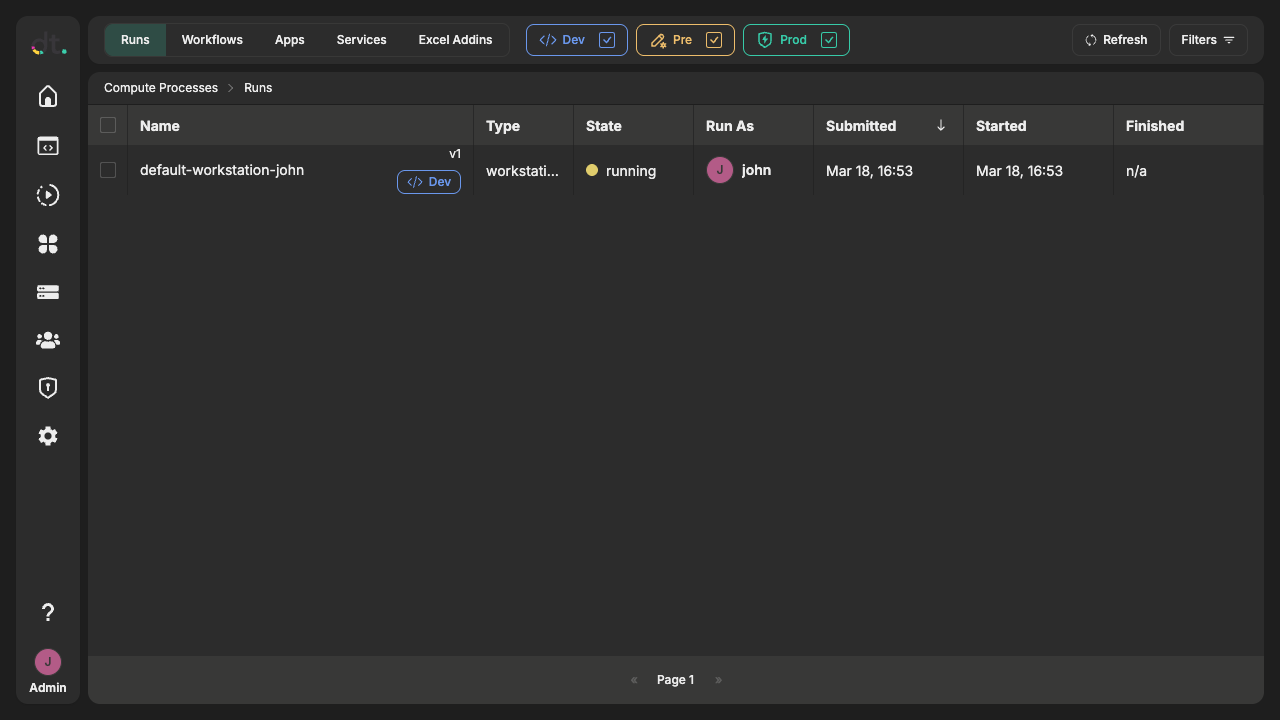
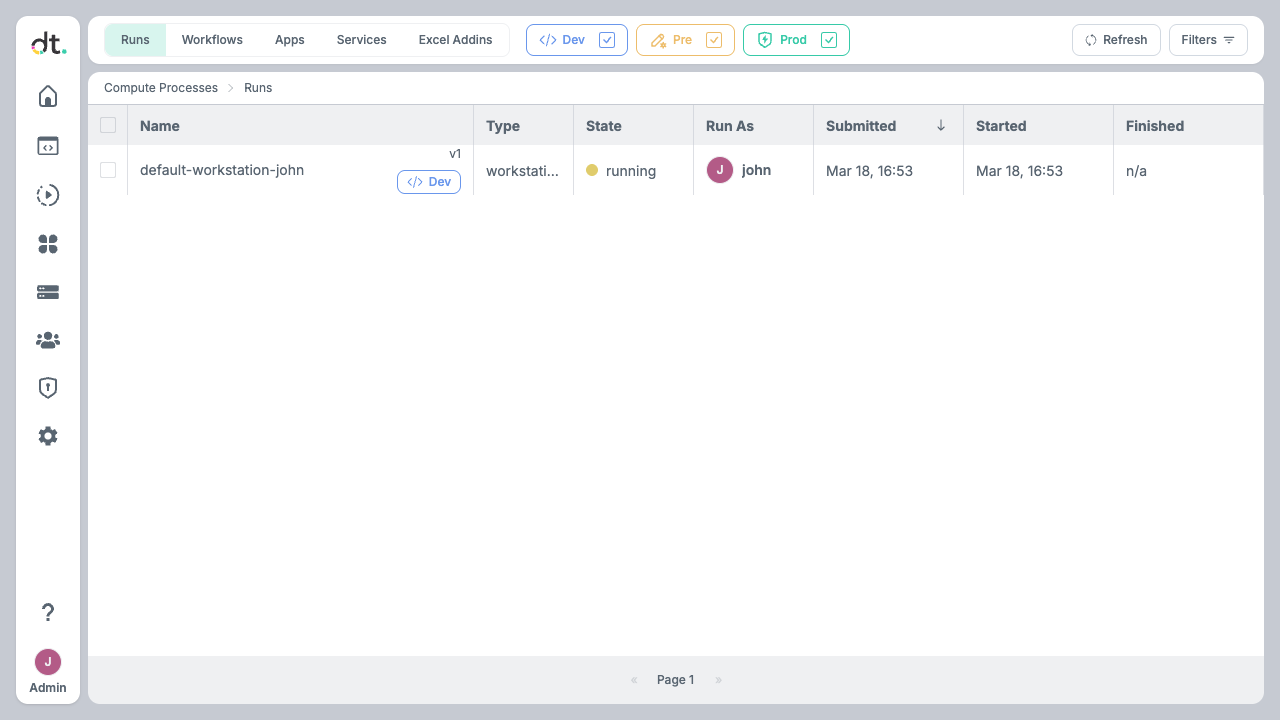
The Runs tab shows all recent compute process executions with their name, type, state, who submitted them, and timing information. Use the tabs at the top — Workflows, Apps, Services, Excel Addins — to filter by type and see type-specific details.