Instances
Instances (Instance Manager)
The Instances page shows all compute nodes (instances) in your Datatailr deployment. You can manage instances through both the GUI and the CLI. You need Admin access to perform these operations.
GUI
Open the Instance Manager from the left sidebar by clicking the Instances 
 icon.
icon.
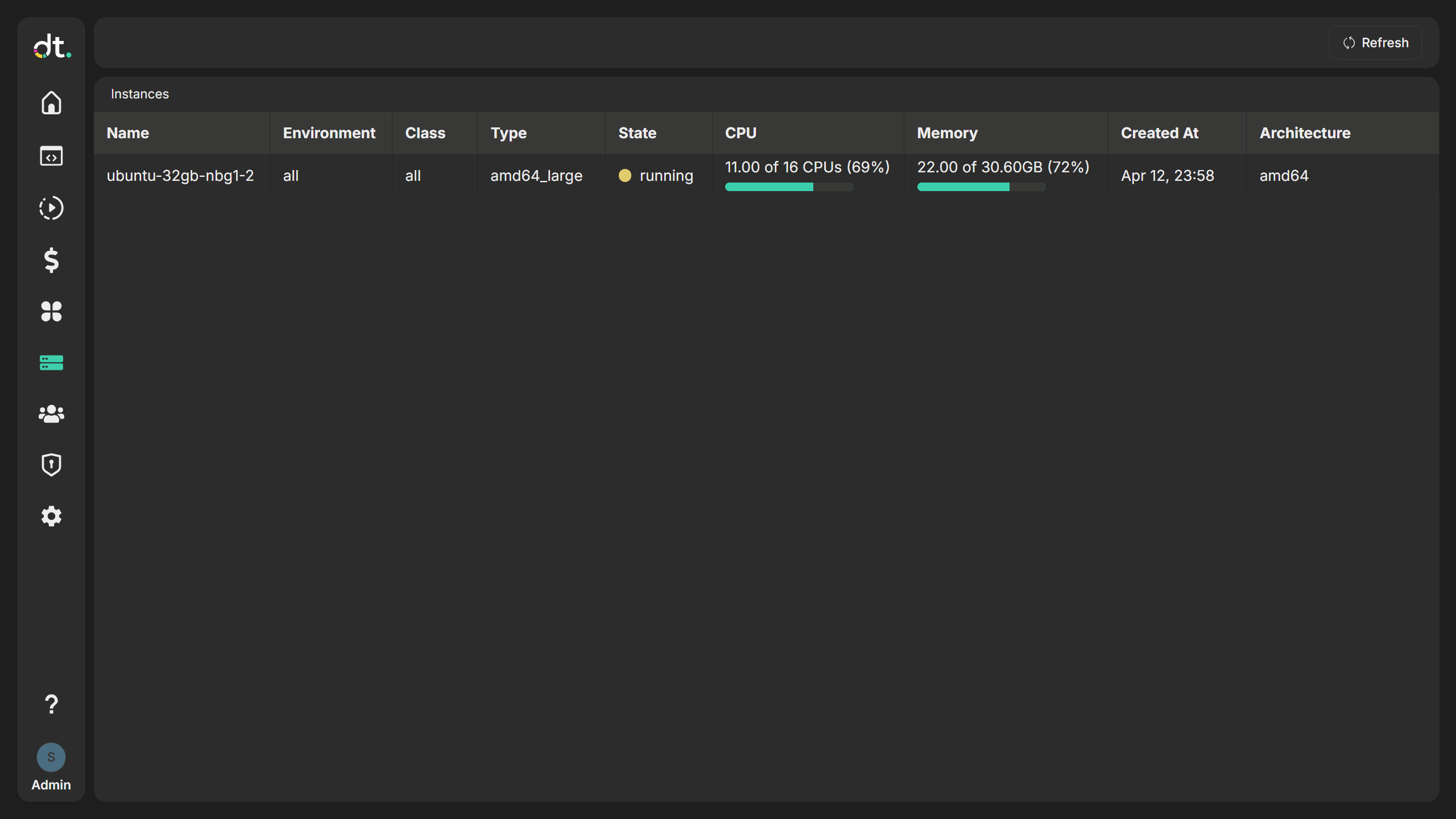
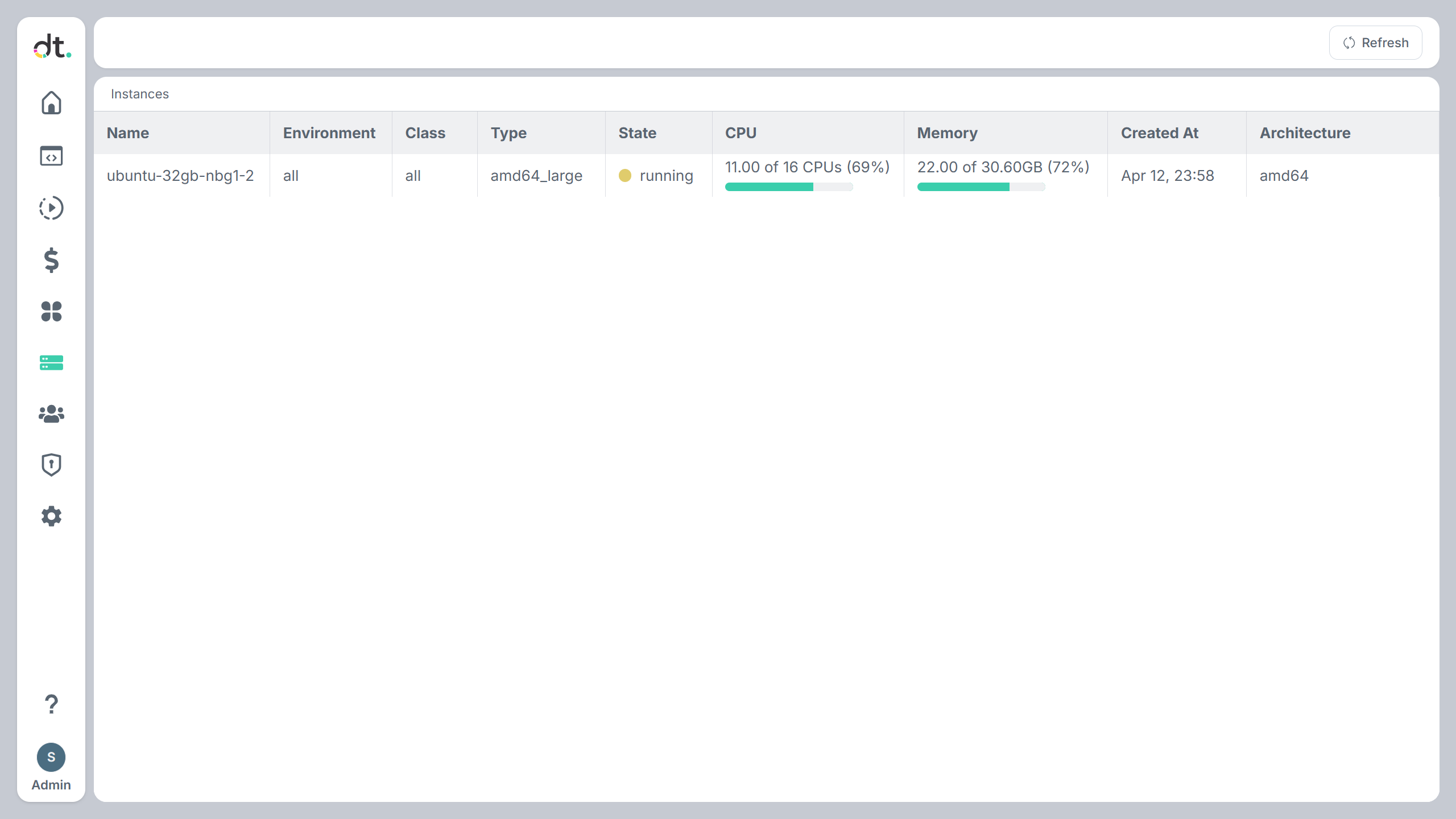
Use this page to monitor node state, environment, class, type, and resource usage (CPU, memory).
Walkthrough
-
Open Instances
Click the Instances icon in the sidebar. The Instance Manager opens with a table of all nodes. -
Understand the columns
- Name — Node hostname/identifier.
- Environment — Environment this node serves (
dev,pre,prod, orsystem). - Class — Node class (e.g. compute vs system).
- Type — Instance type (e.g. machine size or role).
- State — Current state (e.g. running, stopped).
- IP — Private IP address of the node.
- CPU — CPU usage or allocation.
- Memory — Memory usage or allocation.
- Price — Hourly instance price for the node type.
-
Created At — When the instance was created.
-
Open jobs for a node
Click a row to go to that instance's Jobs view, where you can see jobs running (or that ran) on that node. -
Add New (cloud deployments)
On cloud deployments (e.g. AWS, Azure, GCP), an Add New button may be available to provision new instances. It is hidden when the provider is Local (e.g. local Docker-based setup).
Each request in the form sets an instance type (search by name, family or CPU architecture), an environment (dev,preorprod), the number of nodes (1 to 100) and the root disk size (10 to 2048 GB, default 10). Use Add request to start several types or environments at once, for example 10 nodes of one type indevand 20 of another inprod. Instance types with a GPU start GPU nodes; all others start compute nodes. Compute and GPU nodes terminate themselves once idle, after the environment's autoscaler minimum uptime and idle time. Submitting the form is the same as runningdt node newwith one config per request.
Instances are the workers that run your compute processes and jobs. Use this page to verify that nodes are in the expected state and environment.
CLI
Instances and nodes can also be managed with the dt node commands. This is useful for scripting, automation, and infrastructure management.
| Action | Command |
|---|---|
| List all nodes | dt node ls |
| List nodes with filter | dt node ls <filter> |
| Create new nodes | dt node new <config_file> |
| Start nodes | dt node start <node_id> [...] |
| Stop nodes | dt node stop <node_id> [...] |
| Restart nodes | dt node restart <node_id> [...] |
| Terminate nodes | dt node terminate <node_id> [...] |
| Change instance type | dt node change-type <type> <node_id> |
| Show running processes | dt node ps |
| Drain a node | dt node drain [-N <node_name>] |
| Stop draining | dt node drain -s [-N <node_name>] |
| Check drain status | dt node drain-status [-N <node_name>] |
Examples:
# List all nodes
dt node ls

# List nodes with a filter
dt node ls name=compute,id=id-123

# Show running processes on a specific node
dt node ps -N node_name

# Stop a node
dt node stop i-08666efd2a24f10f8

# Drain a node (stop scheduling new jobs)
dt node drain -N node_name

# Change instance type (cloud deployments)
dt node change-type r6a.large i-08666efd2a24f10f8
Add -p to pretty-print output or -j for JSON output.
Python SDK
The Node class of the Python SDK gives the same operations as dt node. Use it in scripts, notebooks and jobs.
| Action | Python |
|---|---|
| List all nodes | Node.ls() |
| List nodes with a filter | Node.ls(filter="environment = dev and status = running") |
| Load one node | Node("compute-node-1") or Node("i-08666efd2a24f10f8") |
| Create new nodes | Node.new(instance_type="r6a.large") or Node.new({...}) |
| Start nodes | Node.start("i-08666efd2a24f10f8") |
| Stop nodes | Node.stop("i-08666efd2a24f10f8") |
| Restart nodes | Node.restart("i-08666efd2a24f10f8") |
| Terminate nodes | Node.terminate("i-08666efd2a24f10f8") |
| Change instance type | Node.change_type("r6a.large", "i-08666efd2a24f10f8") |
| Show running processes | node.ps() |
| Drain a node | node.drain() |
| Stop draining | node.drain(stop=True) |
| Check drain status | node.drain_status() |
Example:
from datatailr import Node

# Find the nodes of the dev environment with free CPUs
for node in Node.ls(filter="environment = dev and status = running"):
    print(node.name, node.type, node.cpu["free_cpus"])

# Drain one node before maintenance. Running jobs continue until they finish.
node = Node("compute-node-1")
node.drain()
print(node.drain_status())  # True
Node.new() accepts keyword arguments for one node, or a ready configuration (one dict or a list of dicts). The keyword defaults are node_class="compute", environment="dev" and num_instances=1:
Node.new(instance_type="r6a.large")
Node.new(instance_type="g5.xlarge", node_class="gpu", environment="prod", num_instances=2)
Lifecycle operations (new, start, stop, restart, terminate, change_type) need the admin or node_admin group. terminate destroys the cloud instance and every job that runs on it.